First, it was filtered selfies. Then came Boomerangs. Stories. Then Reels. Now? Instagram has dropped a new standalone video editing app Edits, designed to rival the likes of TikTok’s CapCut.
If you’re a small business owner who’s already juggling 67 apps (and probably a coffee), you might be wondering if you need another app in your life. But before you disregard it, Edits could be a game-changer for how you create content, without needing a film degree, a ring light, or 14 hours of editing time.
If the thought of another Instagram tool is stressing you out (we get it), strap in and we’ll break it down so you can see if it’s worth your time.
What is Instagram Edits?
Edits is Meta’s free, mobile-first video editing app that lets you cut, trim, enhance, animate and polish your video content so it’s ready-made for Instagram and Facebook. Think of it as your creative sidekick. It’s here to help you whip up polished content that doesn’t look like it was made during your lunch break (even if it was).
Edits rivals TikTok’s CapCut, a popular editing tool among Gen Z creators, small businesses and social-savvy influencers. It’s Meta’s way of saying, ‘If TikTok can do it, so can we.’
Why Small Business Owners Should Care
Whether you sell handmade candles, run a boutique consultancy, or operate a dog grooming salon, video content is one of your most powerful tools to engage your audience, build trust and drive sales.
Video content has become indispensable for businesses aiming to engage their audience effectively.
In Australia, 91% of companies utilise video content as a marketing tool, marking an all-time high since 2016. This trend underscores the growing importance of video in marketing strategies.
But let’s face it – why should you add another app to the growing folder of tools you’ll (probably) never touch?
- It’s free.
- It’s mobile-first.
- It’s designed for non-tech wizards.
- It interacts nicely with Instagram and Facebook.
That means you can spend more time connecting with customers and less time getting annoyed at your editing software because the captions won’t align.
Key Features of Instagram Edits (A.K.A. The Fun Stuff)
It’s time to jump into the nitty gritty of this new tool and what it’s got to offer:
1. AI-Powered Animations
Got a product shot that needs something extra? Edits can animate your images with built-in AI, giving static visuals a burst of life and creativity.
2. Green Screen Magic
Channel your inner movie producer by cutting out your background and replacing it with anything you like. Showcase your café against a Parisian backdrop, or drop yourself into the jungle, just coz!
3. Auto-Captions in Multiple Languages
At Oraco, we’re big fans of accessible content for everyone. With Edits, captions are automatically generated and available in several languages, which is great for businesses with a multilingual audience or those wanting to add extra flair to videos.
4. Built-in Templates and Inspiration
Hit a creative block? The app has content templates and a ‘Trending’ section to help spark ideas, including trending audio.
5. Integrated Sound Effects and Audio
You can now add royalty-free music and sound effects straight from the app. No need to go sourcing dodgy MP3s off the internet (we’ve all been there).
How It Works (Without Making Your Brain Hurt)
Instagram’s Edits app is surprisingly intuitive, even if you’ve never edited a video in your life. Here’s a simplified version of how to use it:
- Download the Edits app (available on iOS and Android) and log in with your Instagram account.
- Create or upload your video.
- Use the tools to trim, animate, caption and stylise.
- Publish straight to Instagram or Facebook.
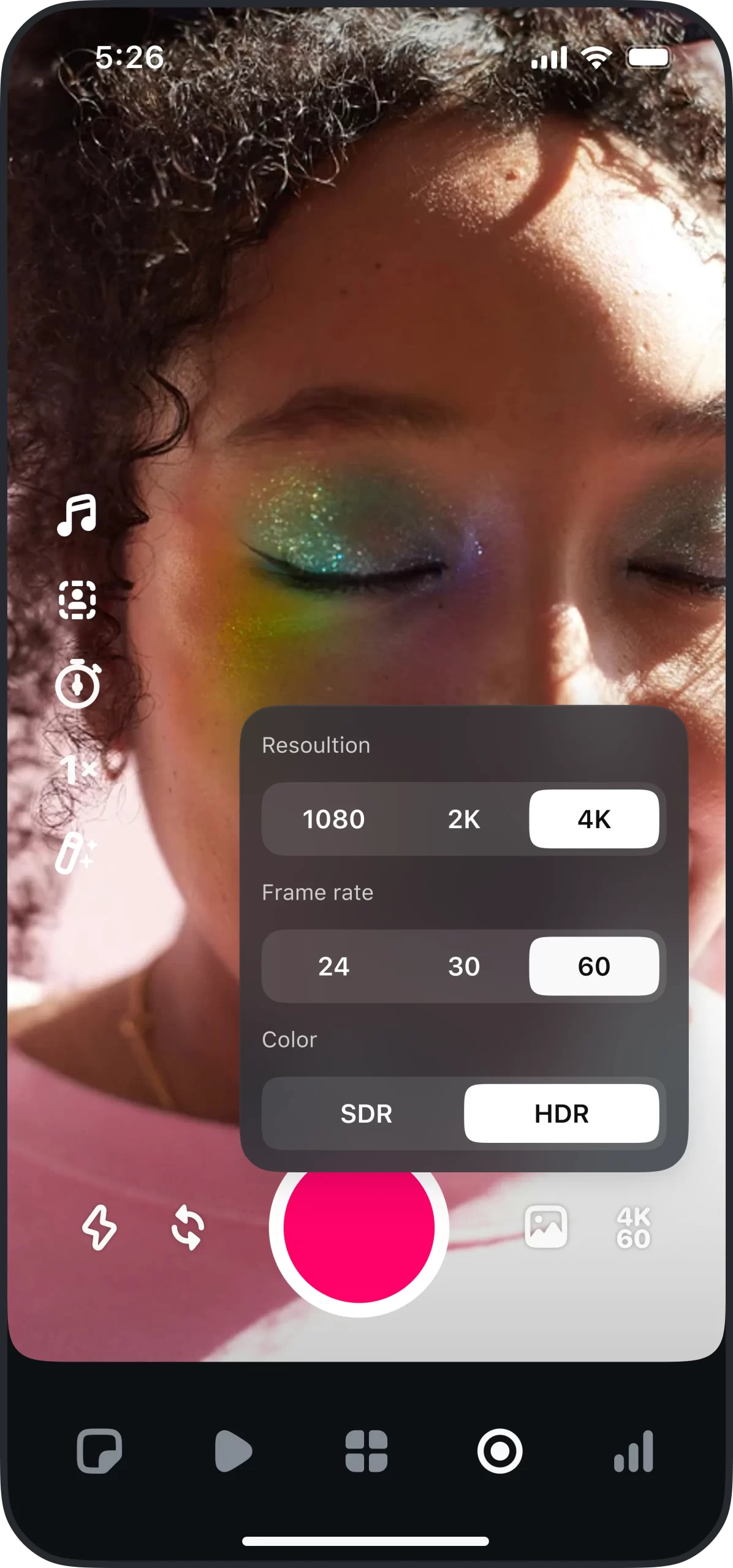
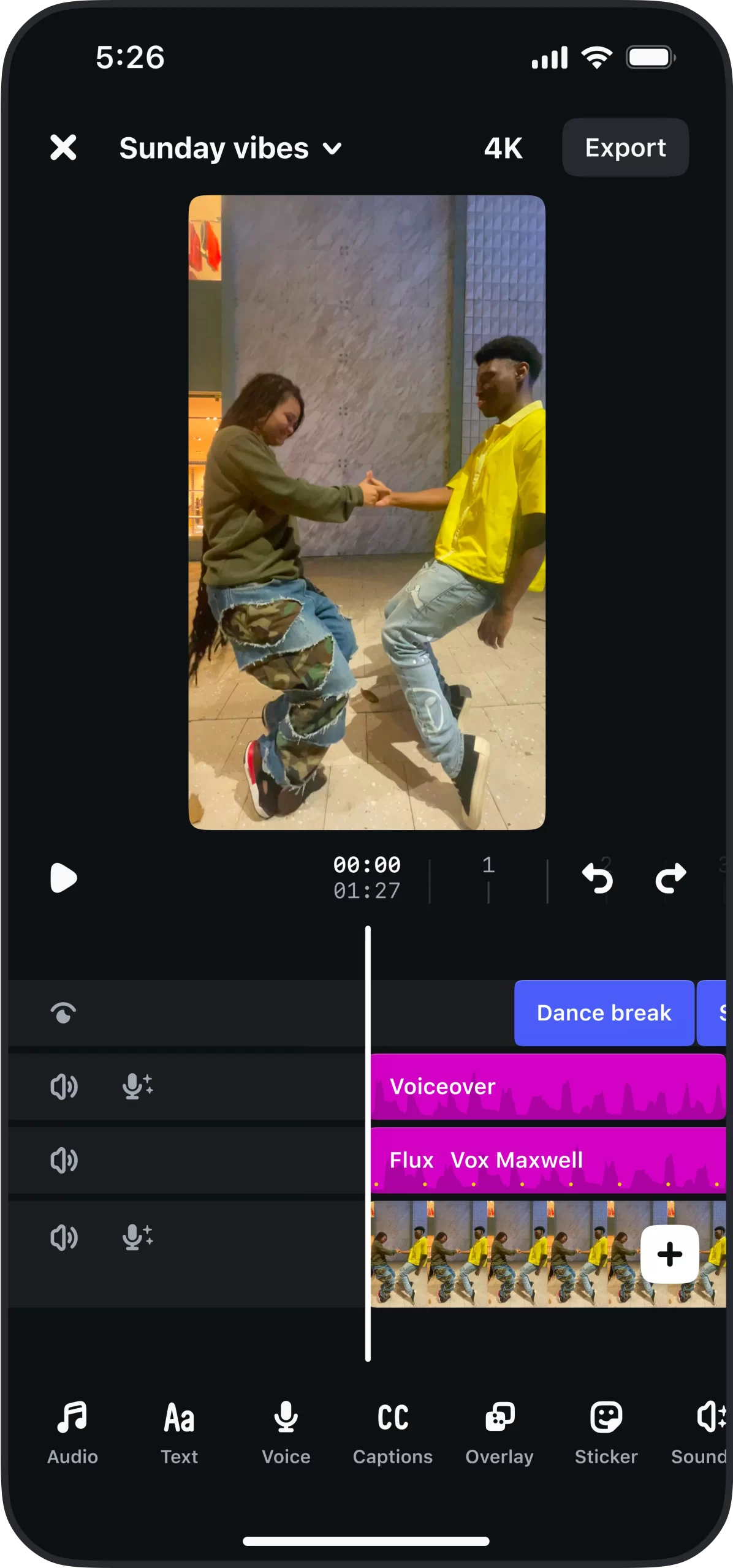
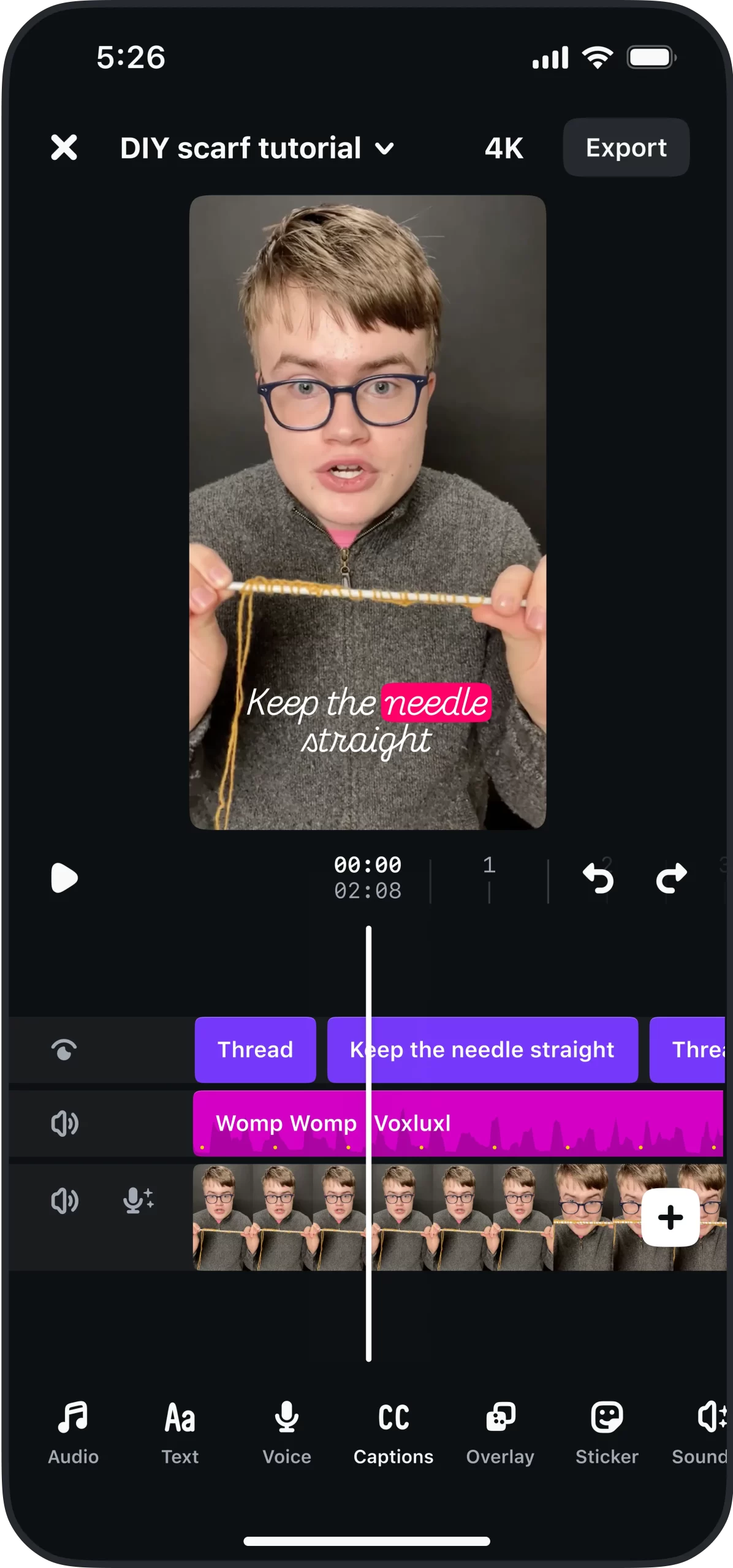
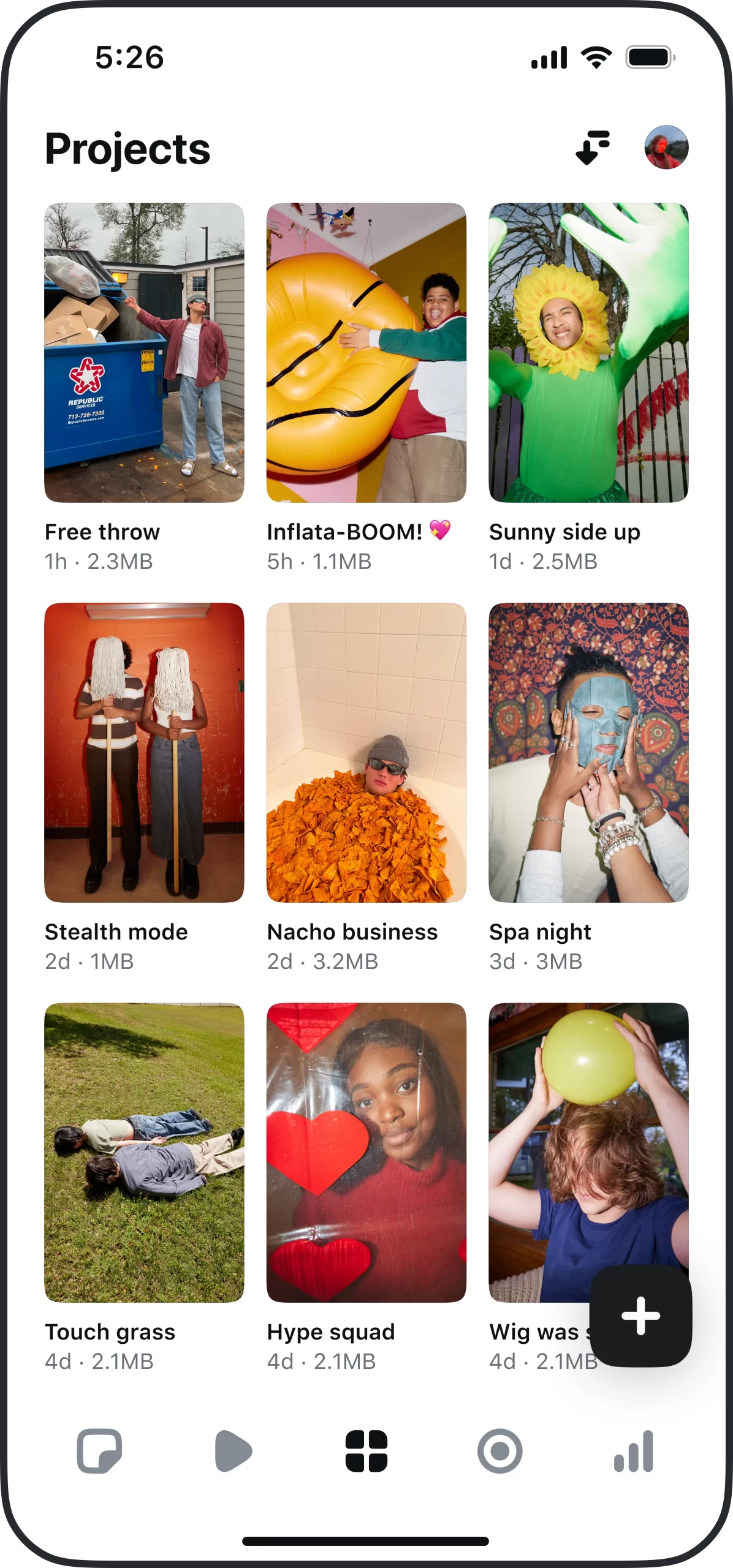
Source: Instagram
Edits vs CapCut: The Showdown
Let’s talk about the elephant in the room (aka CapCut). CapCut is known for its pro-level editing tools, but it can be overwhelming for beginners. It’s owned by ByteDance (TikTok’s parent company), which means it works well with TikTok but not so much with Meta-owned platforms.
Edits, on the other hand, is the golden child of the Meta family. So, if Instagram and Facebook are your marketing go-tos, then Edits is where you want to be.
Here’s a quick breakdown:
| Feature | Edits (Instagram) | CapCut (TikTok) |
| Platform Integration | Instagram + FB | TikTok |
| Price | Free | Free |
| Templates | Yes | Yes |
| AI Animations | Yes | Yes |
| Green Screen | Yes | Yes |
| Auto-Captions | Yes | Yes |
| Watermark on Export | No | Optional |
| Ease of Use | Beginners | More experienced creators |
How to Use Edits in Your Business Marketing
You don’t have to become an expert overnight. Here are a few ways you can start using Edits to boost your business:
1. Product Demos
Show how your product works in real-time, complete with step-by-step captions and animations.
2. Behind-the-Scenes Content
Give your audience a peek behind the curtain, whether it’s how you package your products, how your team works, or even how you plan your day.
3. Before and After Transformations
This works wonders for beauty, fitness, cleaning, or home renovation businesses. Use transitions and AI effects to maximise the wow-factor.
4. Customer Testimonials
Get clips of happy customers, put them into Edits, add some branding, and you’ve got a powerful piece of social proof.
5. Event Recaps or Promos
Whether you’ve hosted an event or are gearing up for a promotion, Edits makes it easy to compile and polish highlights.
Bonus Feature: Track Performance in the App
If you’re a numbers nerd (or just trying to prove your content efforts are working), Edits offers in-app insights like:
- Views and watch time
- Engagement rates
- Video performance over time
These stats can help you decide what content to create next and where to focus your marketing energy.
Handy Tips Before You Hit Record
- Shoot vertically – Instagram prefers vertical video, and so do your viewers.
- Keep it short – The best-performing Reels are usually 30 seconds or less. If you want longer-form video on your feed, try to keep it under a minute.
- Use on-brand colours and fonts – You want your videos to feel like your brand. Consistency equals credibility.
- Test, tweak and test again – Unfortunately, there’s no one-size-fits-all regarding video content. Try different styles, tones, and lengths until you find what works for your business.
What’s Coming Next?
If all of that isn’t enough, Meta has hinted at even more features rolling out soon, including:
- Keyframe editing (for precision animations)
- AI styling tools
- Collaborative content tools (think joint editing with your team or creators)
In other words, watch this space – Edits is just getting started.
I Can’t Get My Head Around It – Help!
At Oraco, we love tools that make our clients’ lives easier, and Instagram’s Edits app fits right into this category. It’s accessible, practical, and surprisingly fun. For small businesses who want to level up their content game without hiring a full-scale production crew, it’s an absolute no-brainer.
Need help creating a content strategy that actually works? Or unsure how to integrate Edits into your toolkit? Get in touch with the Oraco team today.